
The Bizarre Journey Beginner Tips: What to Do After You Roll Your Stand
Practical opening advice for The Bizarre Journey: roll a Stand, run the Journey To Dio quests, loot the Egypt and Wild West maps, and spend your first visits with the Merchant.

What should new players do first in The Bizarre Journey?
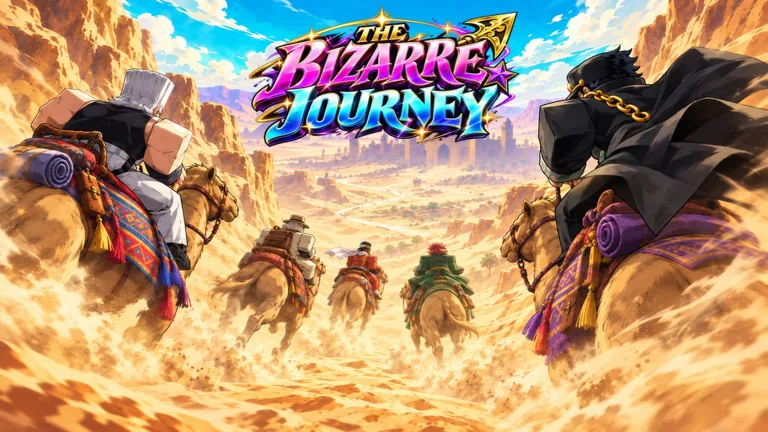
Roll a Stand when you create your character, then follow the first quest set, Journey To Dio. The Bizarre Journey is a free Roblox survival experience inspired by JoJo's Bizarre Adventure, and according to Rock Paper Shotgun, your Stand role is decided early: as you create a character, you roll for a Stand power and then work through missions built on the anime arcs. The same guide notes that the opening quests are called Journey To Dio and follow the events of JoJo's Bizarre Adventure's third story arc.
Do you get a Stand at the start?
Yes — rolling a Stand power is part of creating your character, according to Rock Paper Shotgun. The official game description on the Roblox page frames the whole loop around summoning a Stand and mastering its abilities, but it does not list specific Stand names or individual abilities. Rock Paper Shotgun does not publish a Stand roster either, so which Stands exist and how they differ is not documented on these pages; the game's own pages would be the place to confirm it.
How do you get more Stand Arrows?
You use codes. According to Rock Paper Shotgun, Stand Arrows are the resource you spend to roll for different Stand powers, and codes are how you obtain them. The guide lists codes with Stand Arrow rewards, but a listing is not proof a code still works when you try it.
To redeem, Rock Paper Shotgun reports these steps:
- Join The Bizarre Journey community on Roblox.
- Launch The Bizarre Journey.
- Select the "Codes" button on the main menu.
- Enter the code and select "Redeem."
Those are the outlet's reported steps, not an in-game test, so treat them as a guide rather than a guarantee. If you would rather find codes yourself, the same guide points to the game's official Discord server, which has a "code-list" channel where the developers share new codes, and to the in-game "Codes" menu, which the guide says contains a list of available codes.
Should you spend Stand Arrows right away?
There is no official guidance on when to spend Arrows, so save them until you have a clear aim. The only stated facts are that Stand Arrows roll for different Stand powers and that codes supply them, per Rock Paper Shotgun. Whether a roll can be repeated on the same character, and whether it changes an existing Stand, is not documented on these pages.
What else should you do before fighting bosses?
Collect loot and accessories to build your loadout, and visit the Merchant before your next encounter. The official Roblox description lists looting for accessories, visiting the Merchant to prepare for the next encounter, and challenging bosses along the road as core parts of the journey. It also says the goal is to reach DIO and put everything you have learned to the test.
The description names the two settings, scorching Egyptian deserts and a lawless Western frontier. Separately, the Roblox game page lists 25 players per server. It does not explain controls for summoning a Stand or give step-by-step instructions for any boss, so those specifics are not officially documented on the pages consulted.
Related guides
Related Guides
The Bizarre Journey Gameplay Loop: Stands, Loot, Merchant and Bosses
The repeatable loop of the game: summon a Stand, search for loot, build a loadout, visit the Merchant, and fight bosses on the way to DIO.
DIO Boss Fight in The Bizarre Journey: How to Prepare and What to Expect
A boss guide to DIO in The Bizarre Journey: the end-of-journey fight, what the game says about it, and how to gear up with Stands, loot and the Merchant first.
The Bizarre Journey Codes and Rewards
The Bizarre Journey codes and source-attributed rewards, redemption instructions and where to check for updates.
How to Find New The Bizarre Journey Codes
Where new The Bizarre Journey codes are published: the official Discord server's 'code-list' channel, the in-game Codes menu, and regular checks of a codes page, with the November 2026 working codes as an example.